Author: MORXRFID

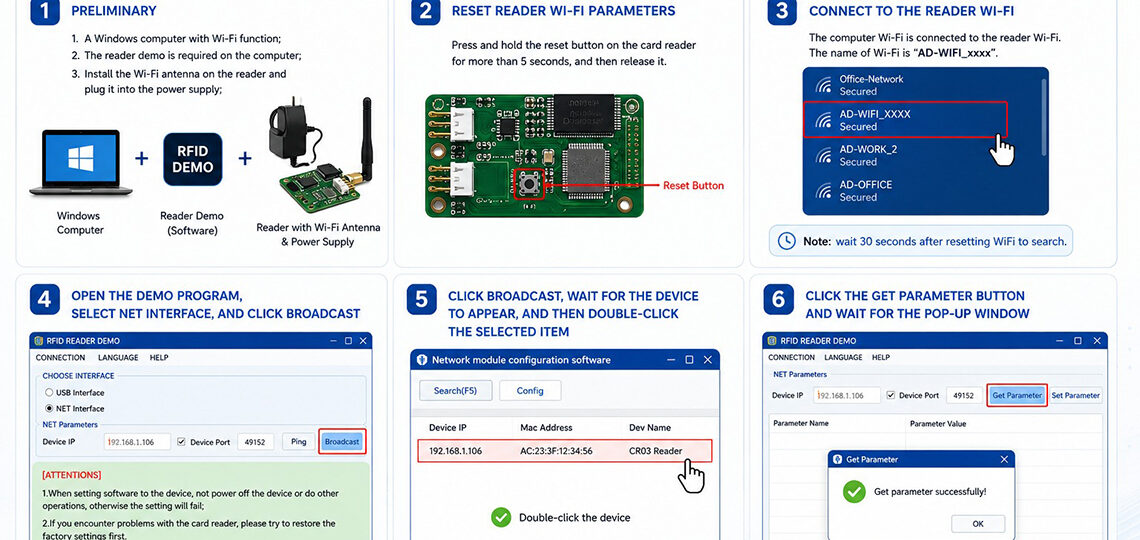
CR-03 WIFI Config(English) Please update your demo, the version shown in the following picture is only for demonstration. 1. Preliminary: 1.A Windows computer with Wi-Fi function; 2. The reader demo is required on the computer; 3. Install the Wi-Fi antenna on the reader and plug it into the power supply; 2. Reset reader Wi-Fi parameters:…
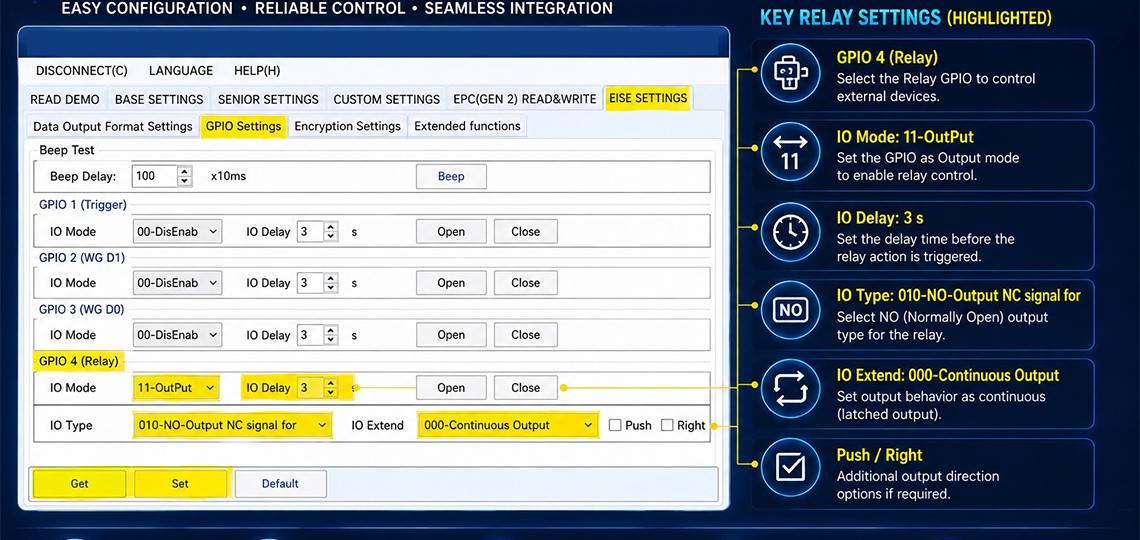

Configuration for MORX CR03, CR06, CR15 & CR20 RFID Readers Follow the steps below to configure the relay output using the RFID Reader Demo software. Step 1: Connect the RFID Reader Connect the MORX CR03, CR06, CR15, or CR20 reader to your PC. Open the RFID Reader Demo software. Select the correct COM port and…

RFID for Work-in-Progress (WIP) Tracking in Manufacturing: A Complete Guide Introduction Modern manufacturing environments depend on speed, accuracy, and real-time visibility to remain competitive. As production lines become more complex, tracking work-in-progress (WIP) items manually can lead to delays, errors, and reduced productivity. Manufacturers often struggle to identify the exact location and status of products…

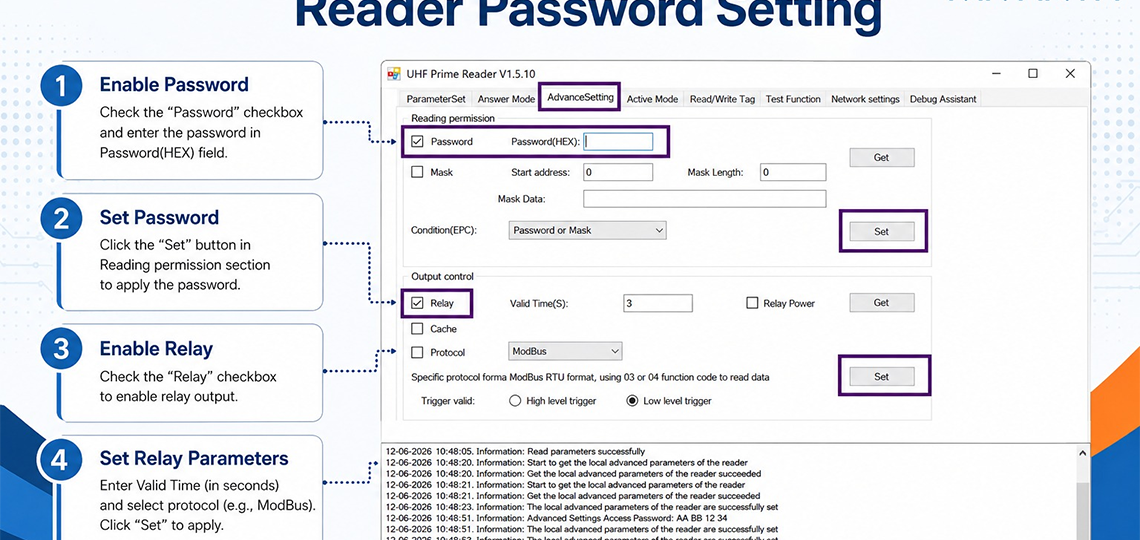
CR32 Reader Password Setting Guide This guide explains how to configure password protection and relay settings for the CR32 Reader using the UHF Prime Reader software. Step 1: Enable Password Open the Advance Setting tab. Check the Password checkbox under the Reading Permission section. Enter the desired password in the Password (HEX) field. Step 2:…

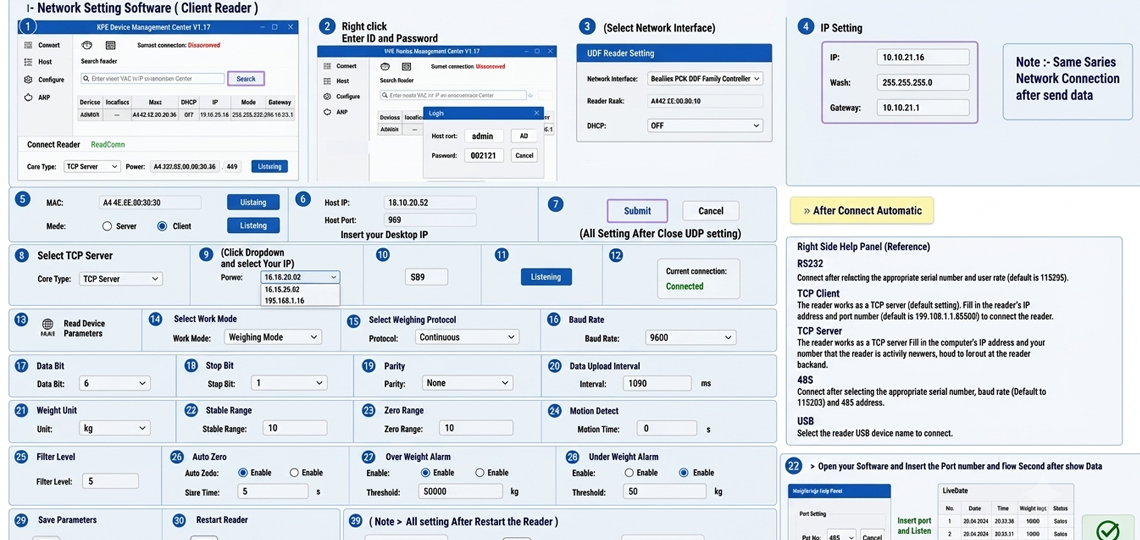
Weighbridge HR-18 Model Setting in Software Overview This guide explains the complete software configuration process for the HR-18 RFID Reader in Weighbridge applications. Follow the step-by-step settings shown below to configure network communication, reader parameters, GPIO settings, output configuration, and weight data transmission. Step 1 – Network Setting Software (Client Reader) Open RFID Device Management…

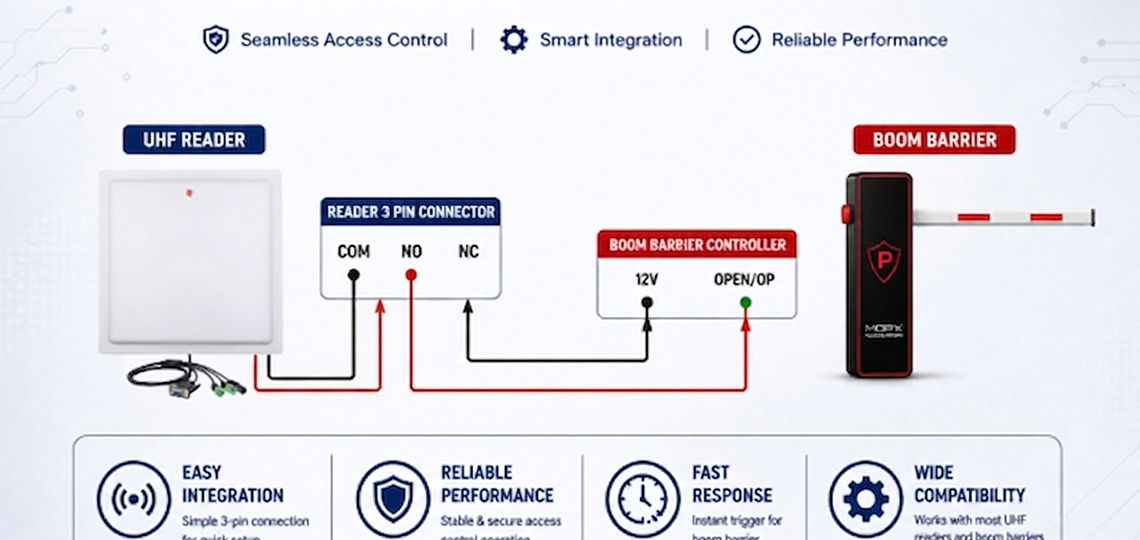
UHF Reader to Boom Barrier Connection Diagram Overview This guide explains how to connect a UHF RFID Reader with a Boom Barrier Controller for automatic vehicle access control. The connection uses the reader’s relay output terminals (COM, NO, NC) to trigger the boom barrier when an authorized RFID tag is detected. This setup is commonly…