
0

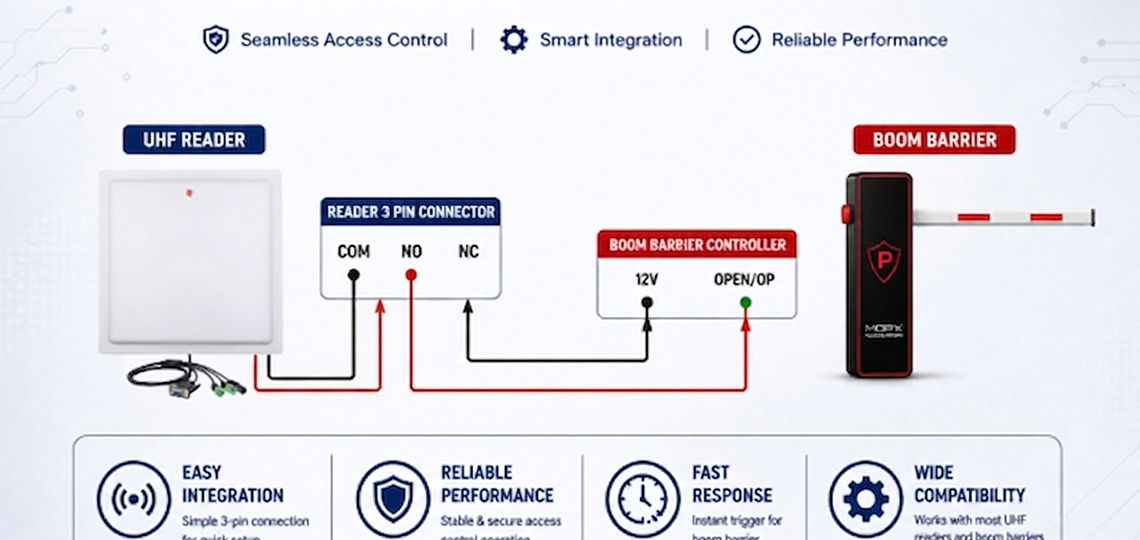
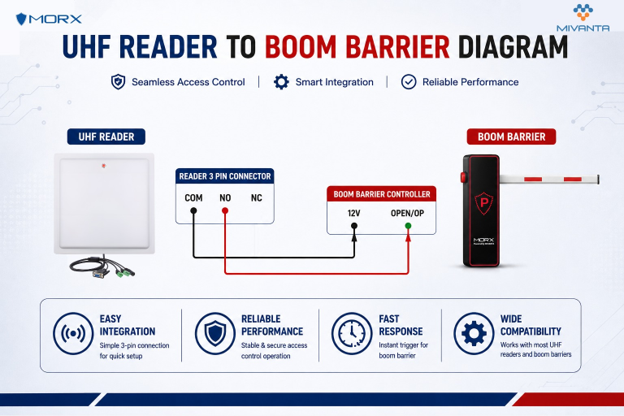
UHF Reader to Boom Barrier Connection Diagram
Overview
This guide explains how to connect a UHF RFID Reader with a Boom Barrier Controller for automatic vehicle access control. The connection uses the reader’s relay output terminals (COM, NO, NC) to trigger the boom barrier when an authorized RFID tag is detected. This setup is commonly used in residential societies, corporate offices, industrial facilities, and parking management systems.
Wiring Connection Diagram
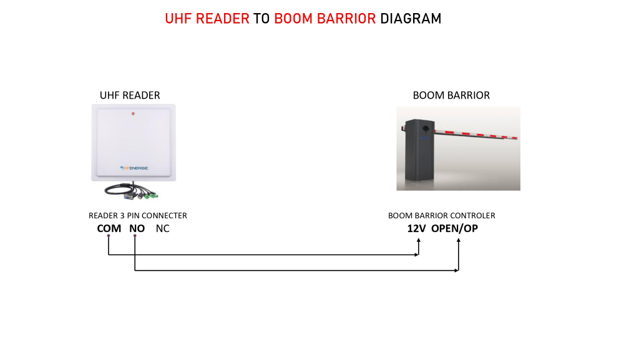
The diagram shows the basic wiring required between the UHF RFID Reader and the Boom Barrier Controller.
Connection Details
- COM terminal → 12V/Common terminal of Boom Barrier Controller
- NO terminal → OPEN/OP trigger terminal of Boom Barrier Controller
- NC terminal remains unused in standard installations
When a valid RFID tag is detected, the reader activates the relay output and automatically opens the boom barrier.
Applications
- Residential Society Entry Management
- Corporate Office Parking
- Industrial Facility Access Control
- Visitor Vehicle Management
- Commercial Parking Systems
Key Benefits
- Automatic vehicle entry and exit
- Contactless access control
- Faster traffic movement
- Reduced manual intervention
- Easy integration with boom barriers
- Reliable RFID-based authentication
Important Note
After completing the wiring connection, verify the relay settings in the RFID reader software and test the boom barrier operation before deployment.
CategoryResources