
0

CR-03 WIFI Config(English)
Please update your demo, the version shown in the following picture is only for demonstration.
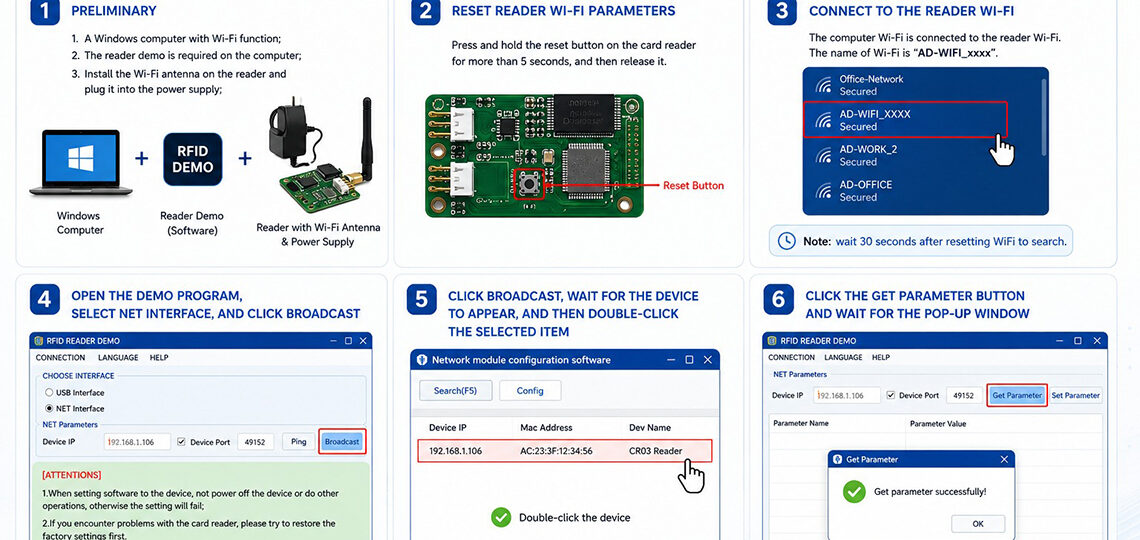
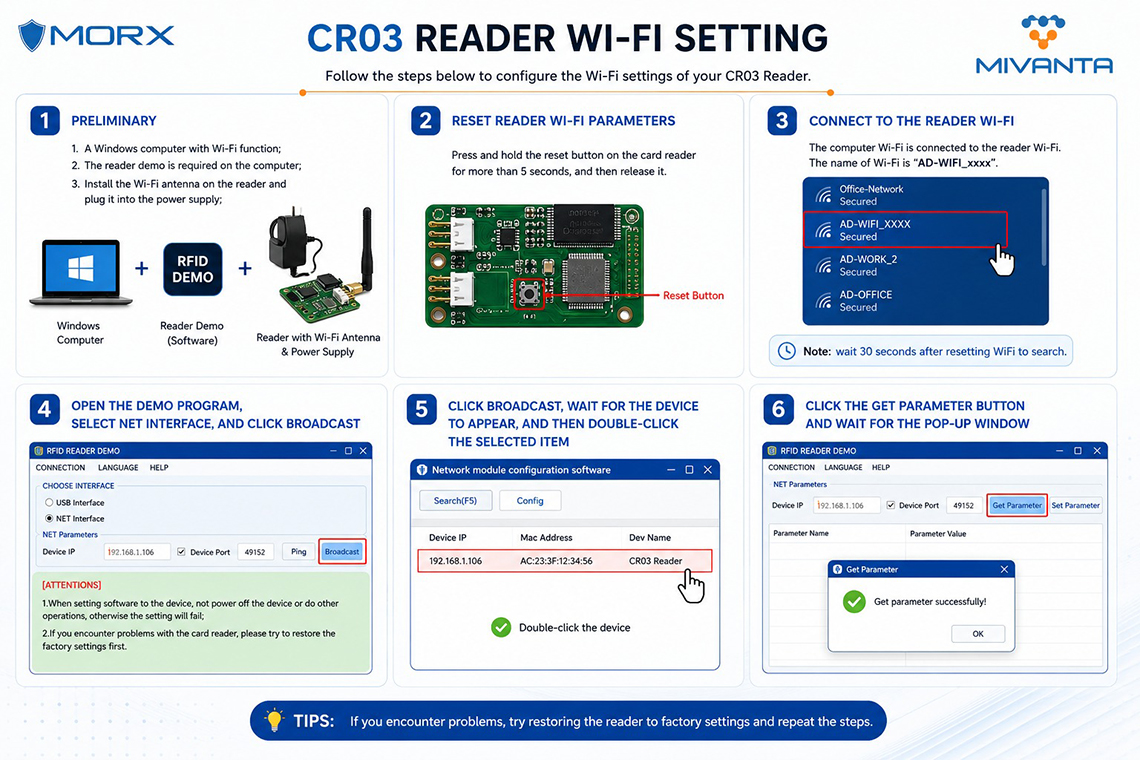
1. Preliminary:
1.A Windows computer with Wi-Fi function;
2. The reader demo is required on the computer;
3. Install the Wi-Fi antenna on the reader and plug it into the power supply;
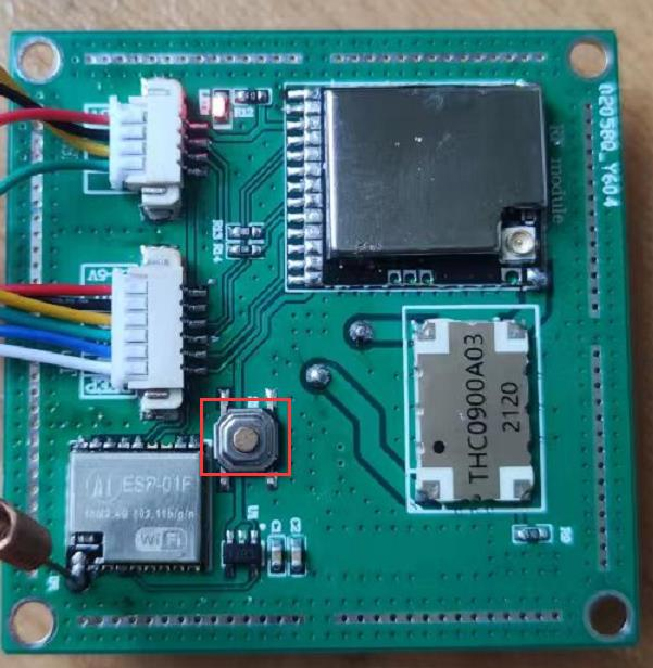
2. Reset reader Wi-Fi parameters:
Press and hold the reset button on the card reader for more than 5 seconds, and then release it.
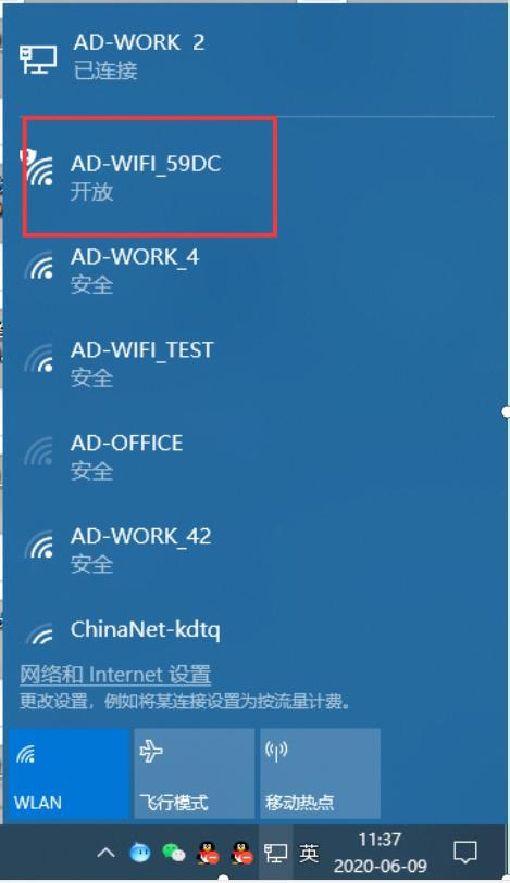
3. The computer Wi-Fi is connected to the reader Wi-Fi. The name of Wi-Fi is "AD-WIFI_ xxxx".
Note: wait 30 seconds after resetting WiFi to search;
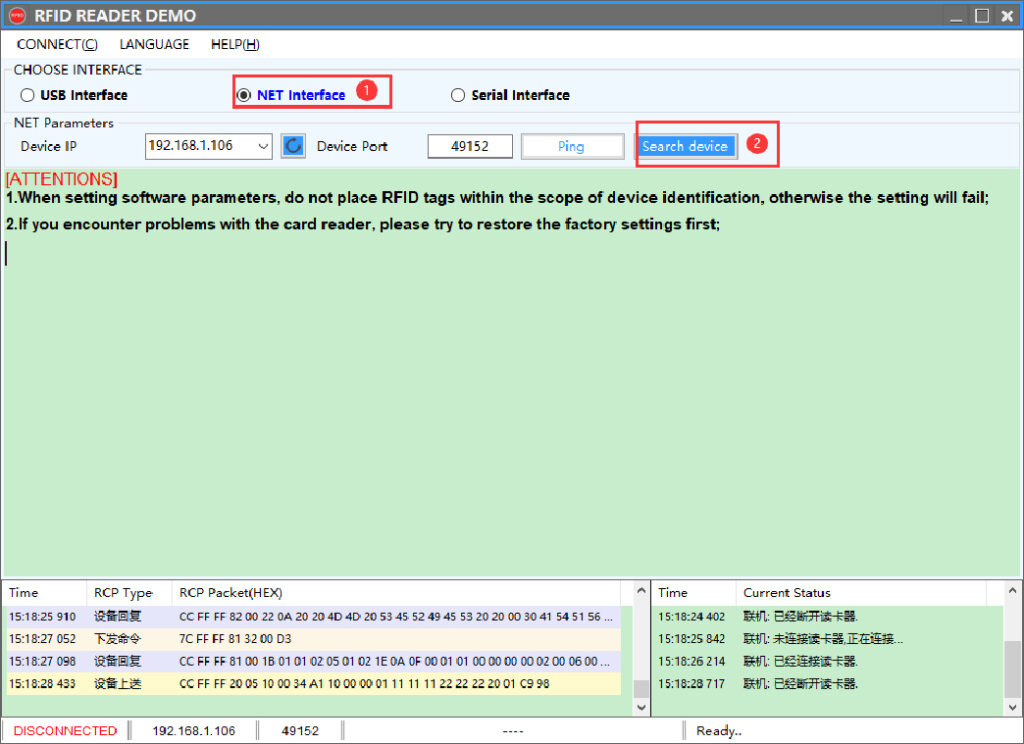
4. Open the demo program, select NET INTERFACE, and click Broadcast;
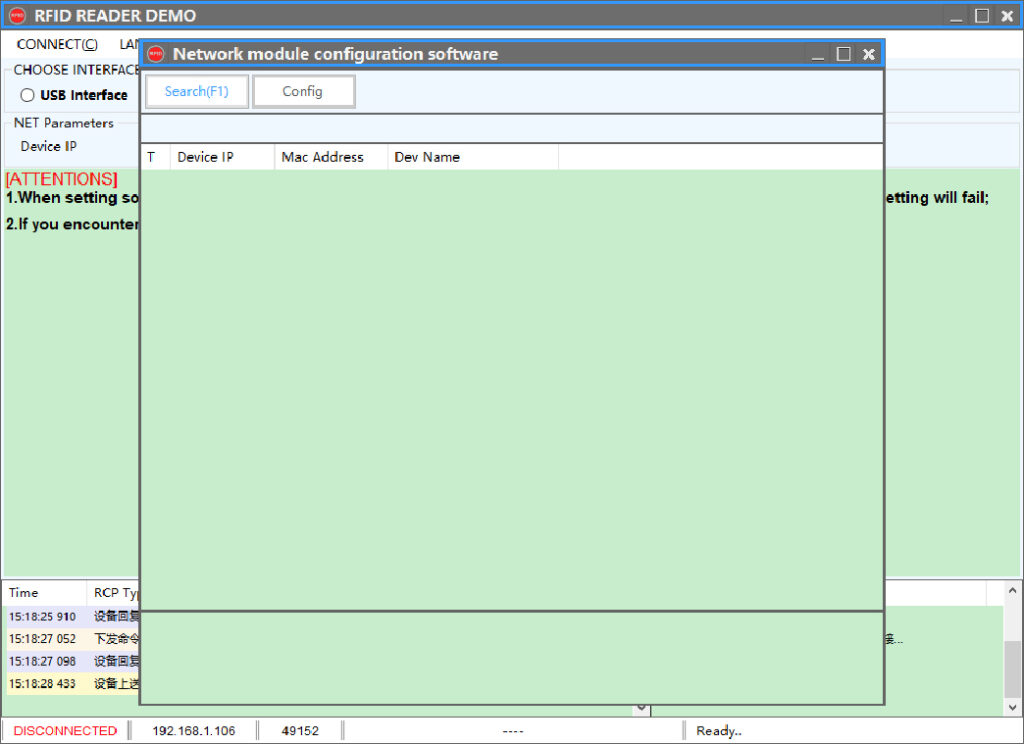
5. Click Broadcast, wait for the device to appear, and then double-click the selected item;
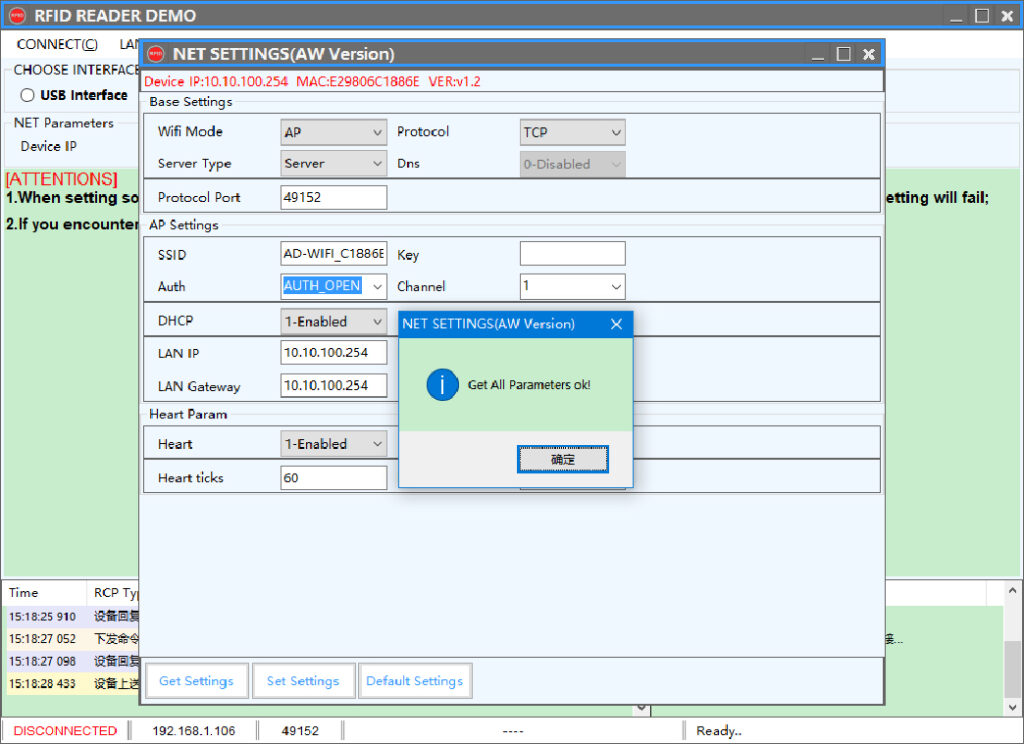
6. Click the get parameter button and wait for the pop-up window;
CategoryResources