
0

WD-01 Desktop RFID Reader/Writer – Excel & Notepad EPC Output Configuration
The Mivanta MORX WD-01 Desktop RFID Reader/Writer allows users to automatically capture RFID tag EPC data and send it directly to applications such as Microsoft Excel, Notepad, ERP software, web forms, and database systems without requiring custom programming.
By configuring the reader in USB Keyboard Mode and enabling Auto Read, EPC numbers can be instantly displayed in any active text field whenever a tag is presented to the reader.
Configuration Highlights
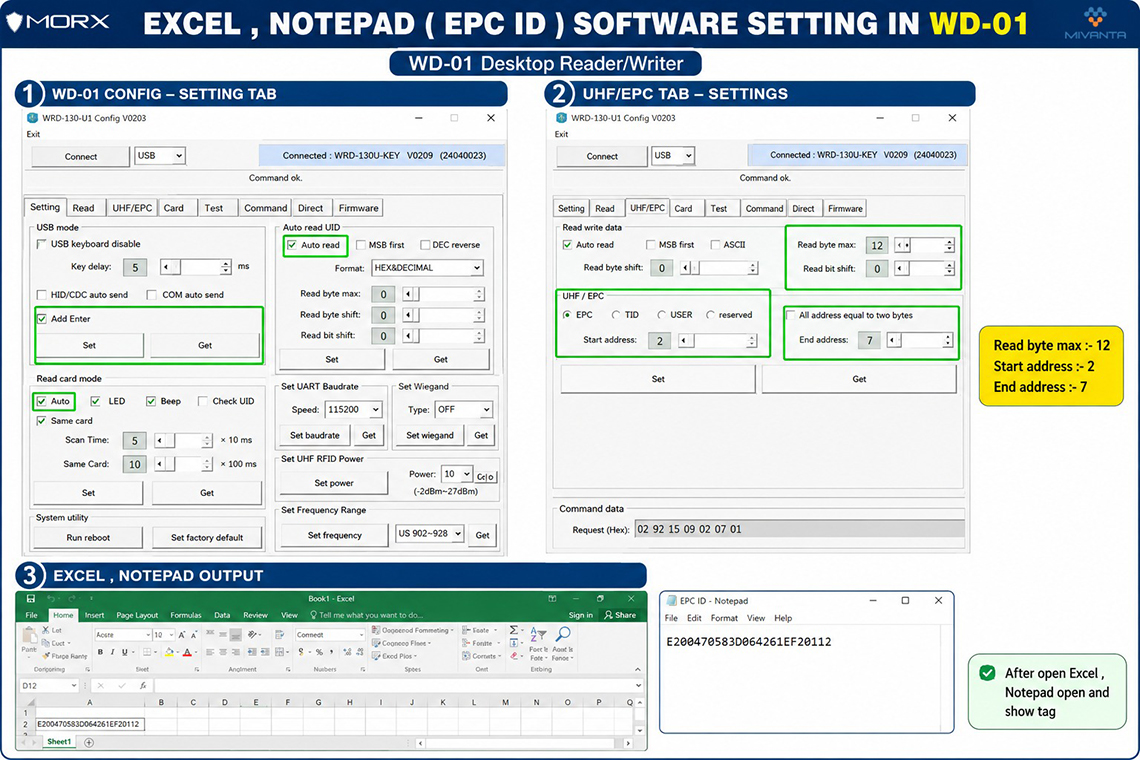
Step 1 – Configure USB Output Settings
- Connect the WD-01 reader to your PC via USB.
- Navigate to the Setting tab.
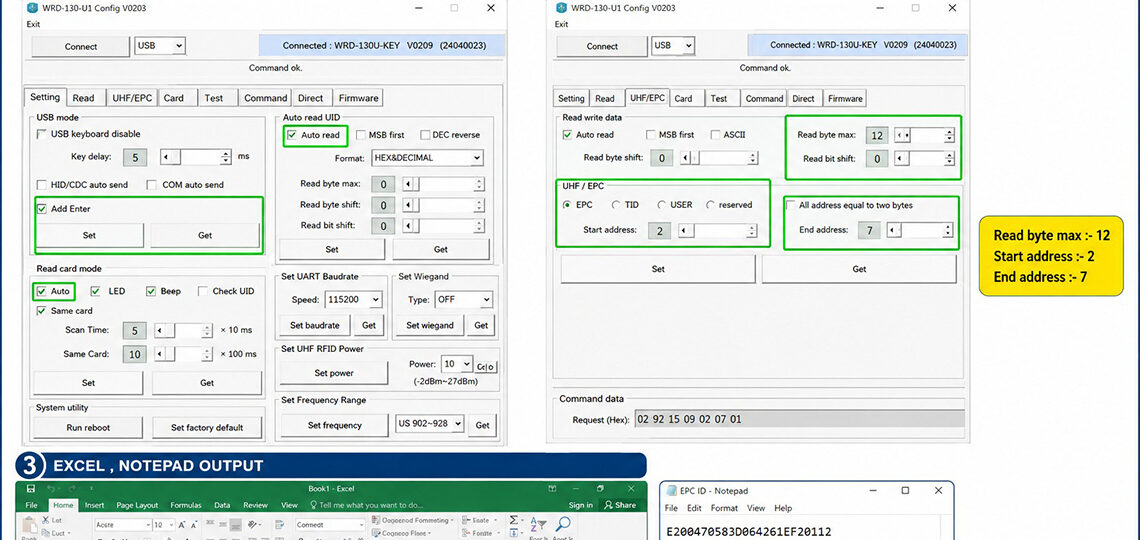
- Enable Add Enter to automatically move to the next line or cell after each tag read.
- Click Set to save the configuration.
Step 2 – Configure EPC Read Parameters
- Open the UHF/EPC tab.
- Select EPC memory bank.
- Set:
- Read Byte Max: 12
- Start Address: 2
- End Address: 7
- Enable Auto Read mode.
- Click Set to apply the settings.
Step 3 – Start Reading EPC Data
✔ Direct EPC output to Excel and Notepad
✔ No software development required
✔ USB keyboard emulation support
✔ Fast and accurate tag reading
✔ Compatible with ERP, WMS, and inventory applications
✔ Ideal for inventory management, asset tracking, and RFID testing
Example Output
Excel Output
E200470583D064261EF20112
E200470583D064261EF20115
E200470583D064261EF20118
Notepad Output
E200470583D064261EF20112
The WD-01 provides a simple and efficient way to capture RFID EPC data and integrate it into everyday business applications, making RFID deployment faster and more user-friendly.
CategoryResources