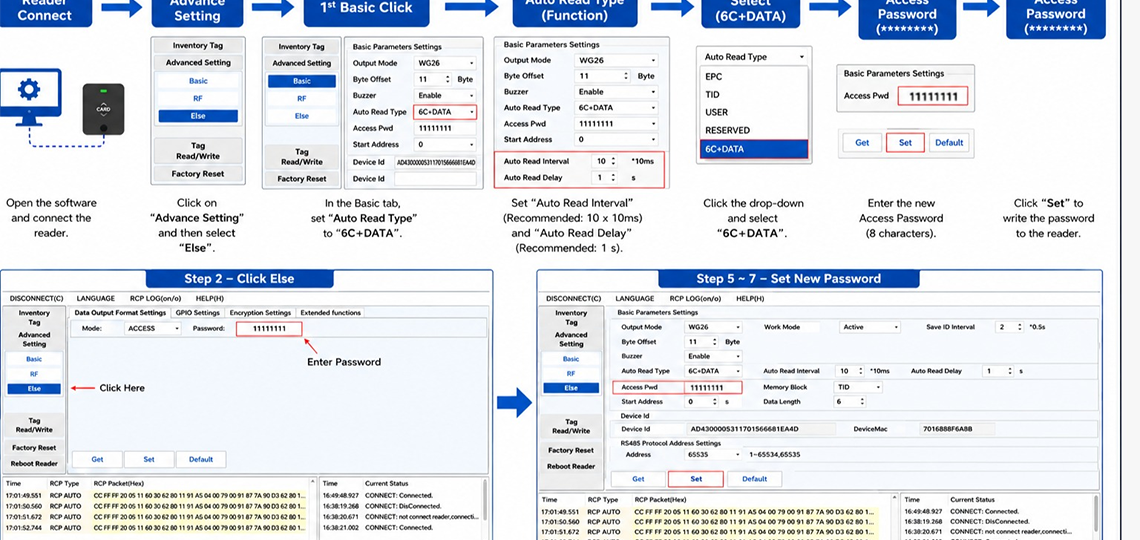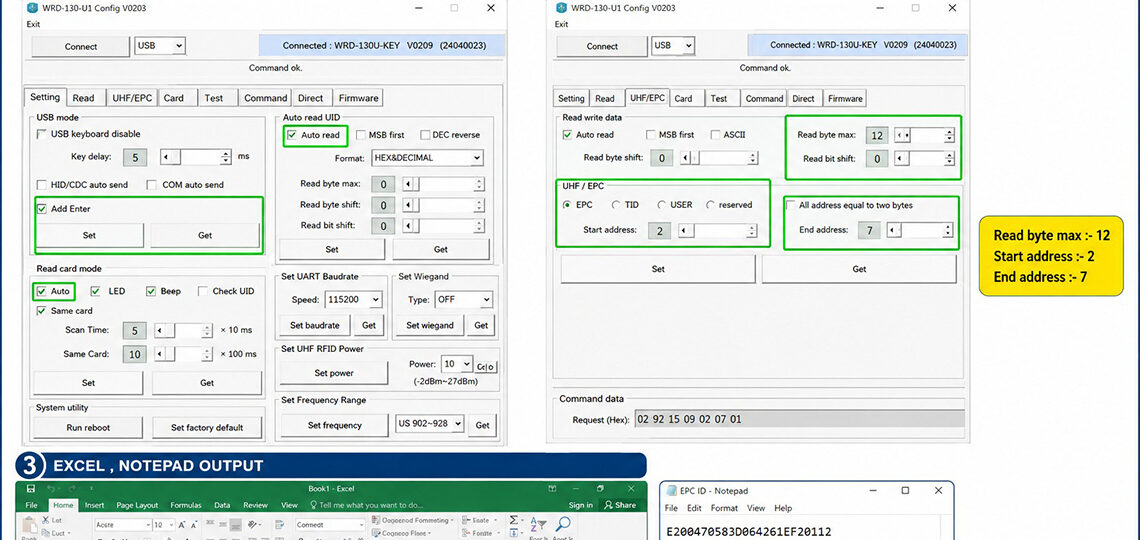
CR32 Reader Password Setting Guide This guide explains how to configure password protection and relay settings for the CR32 Reader using the UHF Prime Reader software. Step 1: Enable Password Open the Advance Setting tab. Check the Password checkbox under the Reading Permission section. Enter the desired password in the Password (HEX) field. Step 2:…
Category: Resources
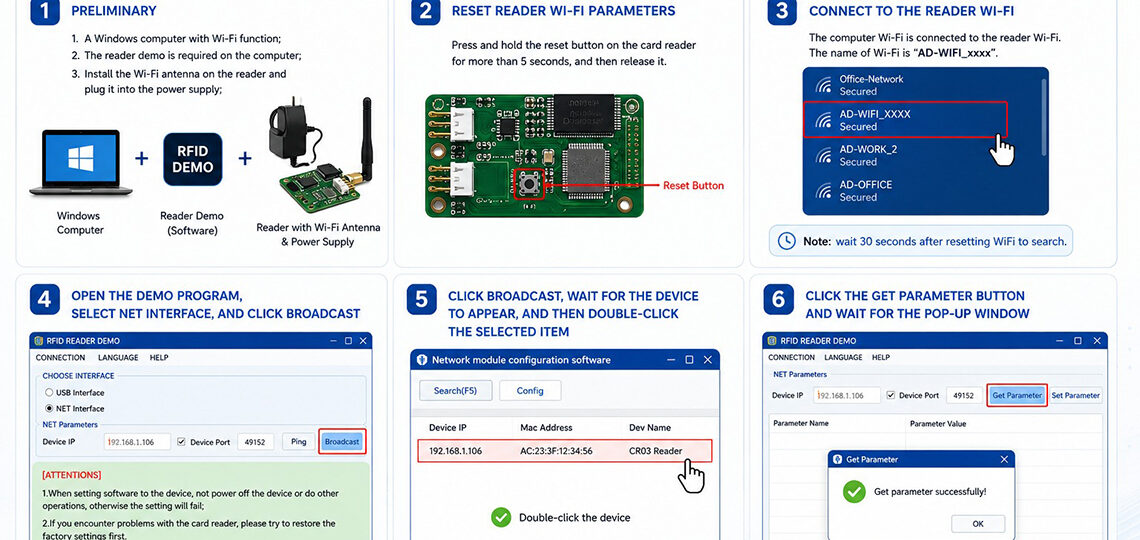
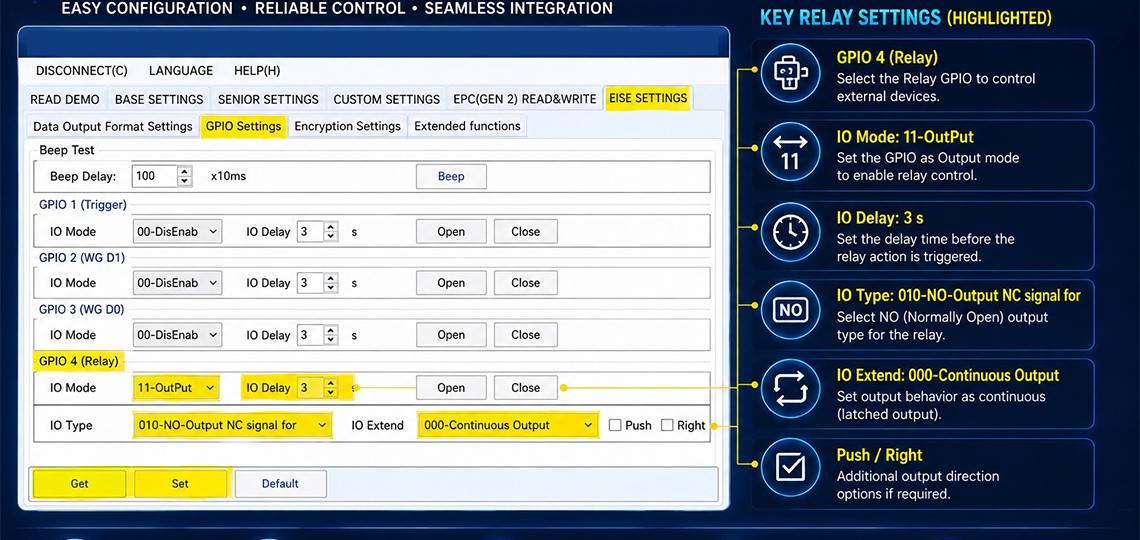
Weighbridge HR-18 Model Setting in Software Overview This guide explains the complete software configuration process for the HR-18 RFID Reader in Weighbridge applications. Follow the step-by-step settings shown below to configure network communication, reader parameters, GPIO settings, output configuration, and weight data transmission. Step 1 – Network Setting Software (Client Reader) Open RFID Device Management…
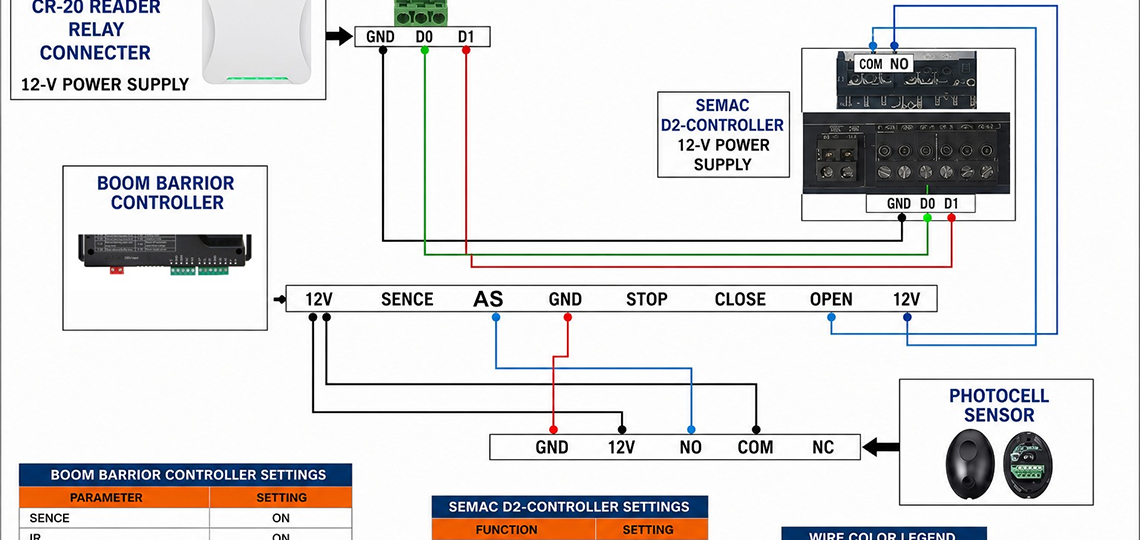
UHF Reader to Boom Barrier Connection Diagram Overview This guide explains how to connect a UHF RFID Reader with a Boom Barrier Controller for automatic vehicle access control. The connection uses the reader’s relay output terminals (COM, NO, NC) to trigger the boom barrier when an authorized RFID tag is detected. This setup is commonly…
HR-18 Password Setup Process in Software Prerequisite: Open and connect the software to the reader before proceeding with the steps below. A. GPIO Configuration Step 1 — Click Configuration Step 2 — Click GPIO Step 3 — Set Trigger Start Trigger Start :- LOW LEVEL Step 4 — Set Trigger Code — enter the following…