
0

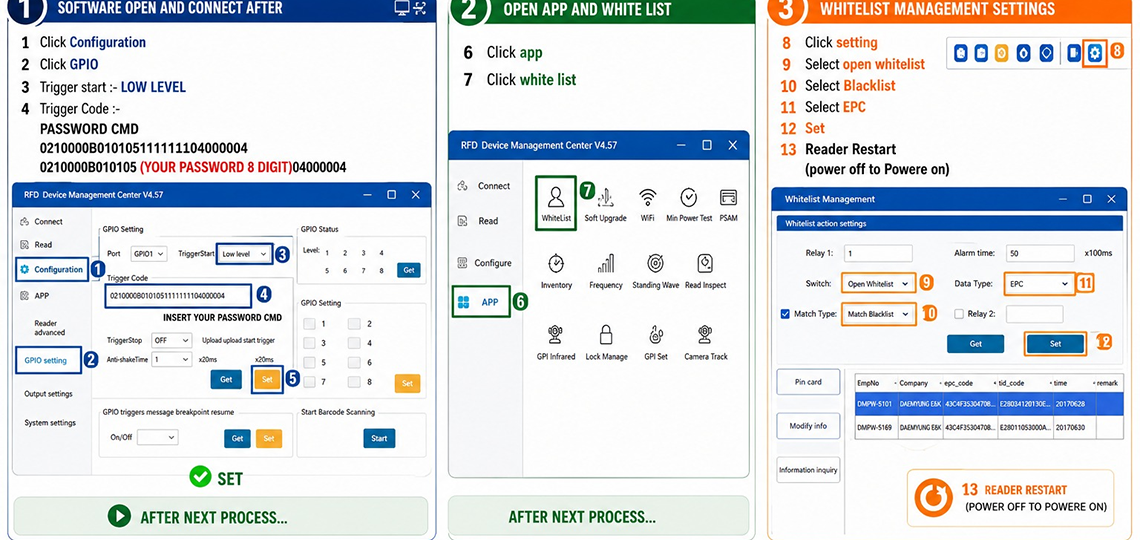
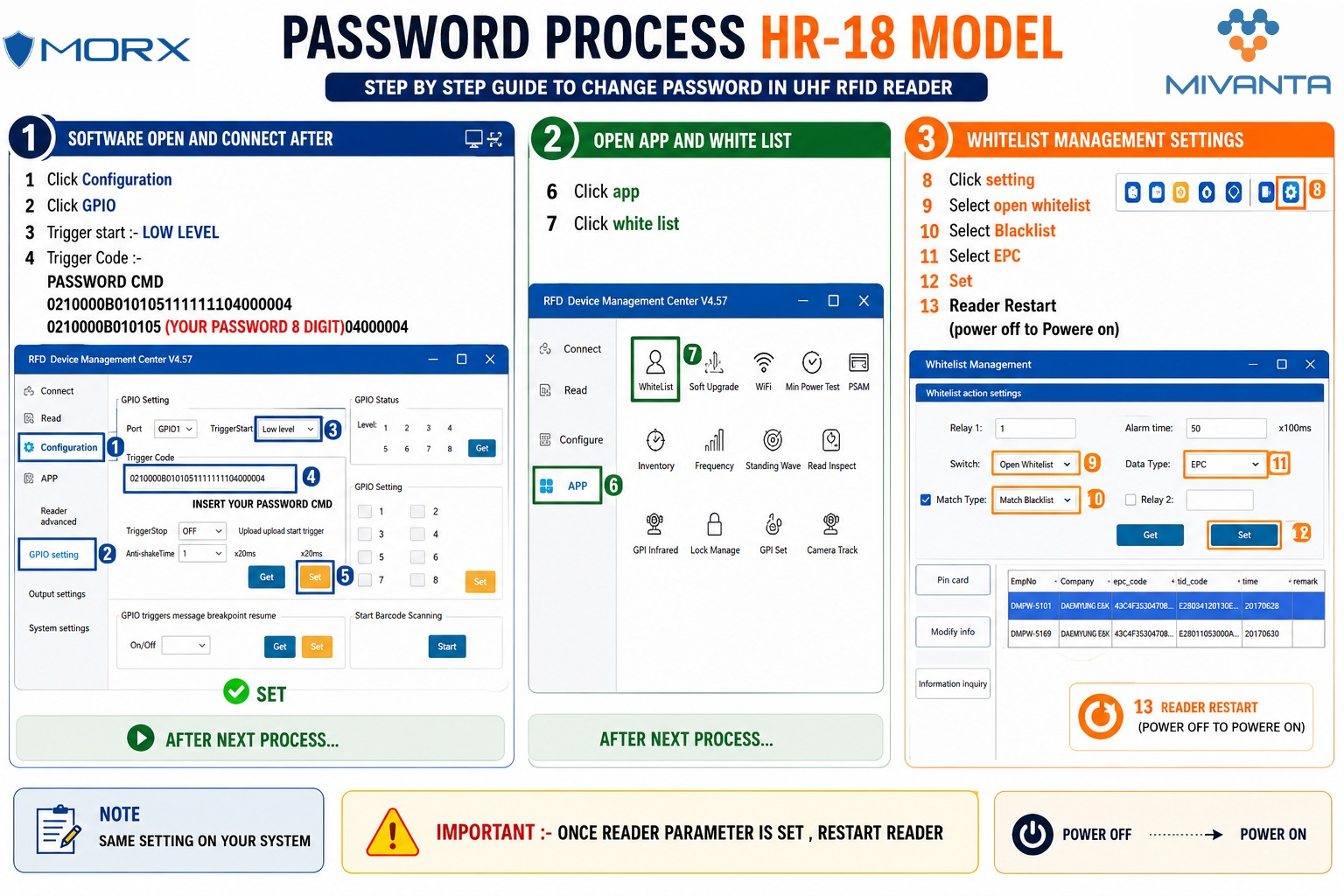
HR-18 Password Setup Process in Software
Prerequisite: Open and connect the software to the reader before proceeding with the steps below.
A. GPIO Configuration
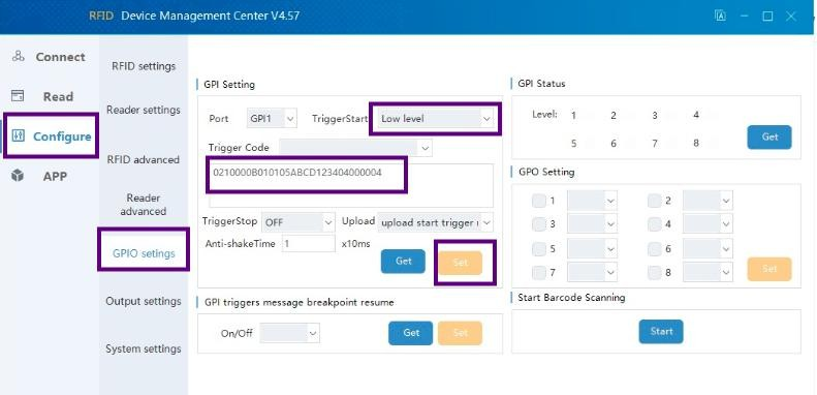
Step 1 — Click Configuration
Step 2 — Click GPIO
Step 3 — Set Trigger Start Trigger Start :- LOW LEVEL
Step 4 — Set Trigger Code — enter the following Password CMD in the Trigger Code field:
Trigger Code — Password CMD (Default / Example): 0210000B0101051111111104000004
Trigger Code Format (with your custom 8-digit password): 0210000B010105(YOUR PASSWORD 8 DIGIT)04000004
Step 5 — Insert the complete command into the INSERT YOUR PASSWORD CMD input field.
Step 6 — Click SET
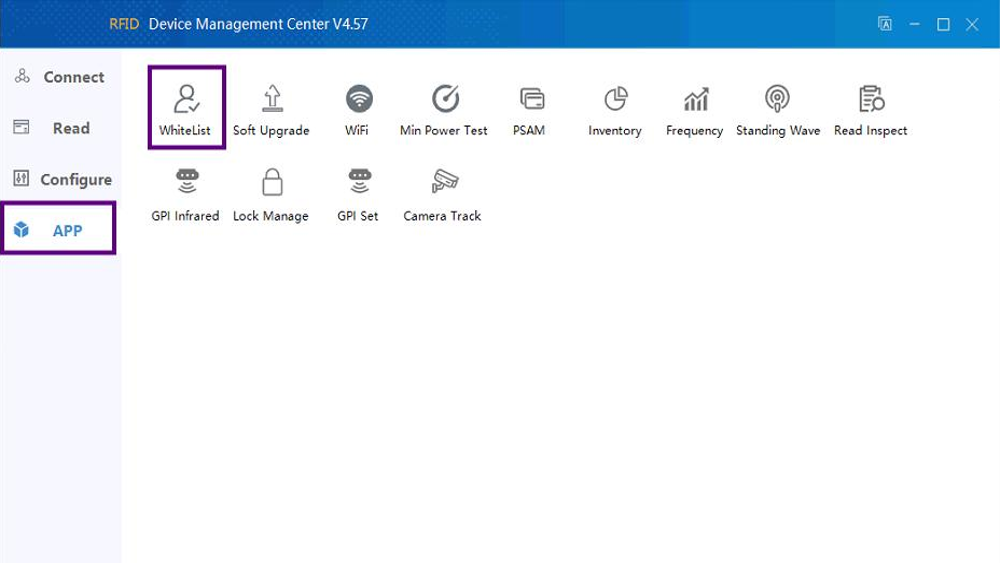
B. App Configuration
Step 7 — Click App
Step 8 — Click White List
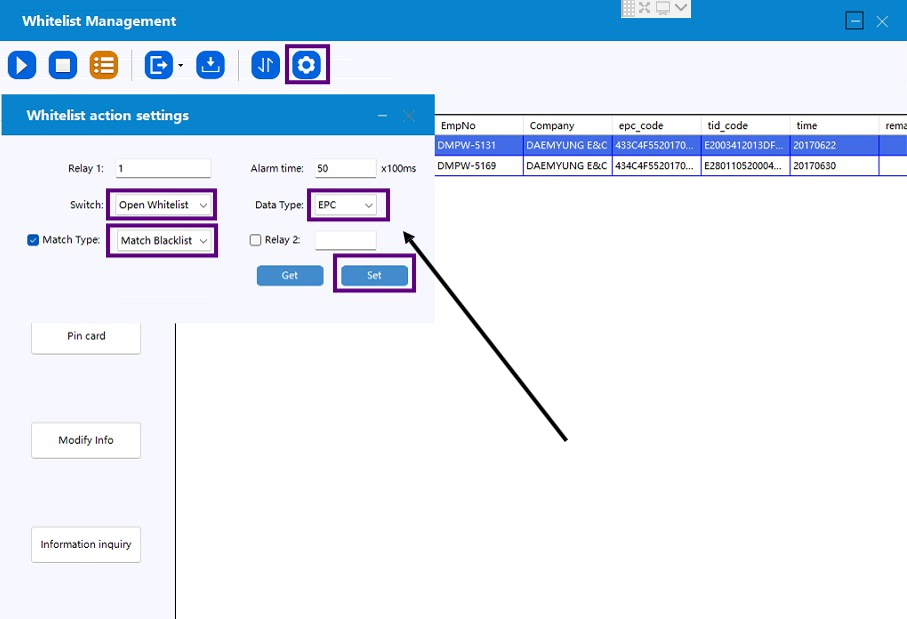
C. Whitelist Settings
Step 9 — Click Setting
Step 10 — Select Open Whitelist
Step 11 — Select Blacklist
Step 12 — Select EPC
Step 13 — Click Set
Step 14 — Restart the Reader (Power off → Power on)
Important Notes
⚠️ IMPORTANT: Once the reader parameter is set, restart the reader. (Power off, then power on.)
CategoryResources