
0

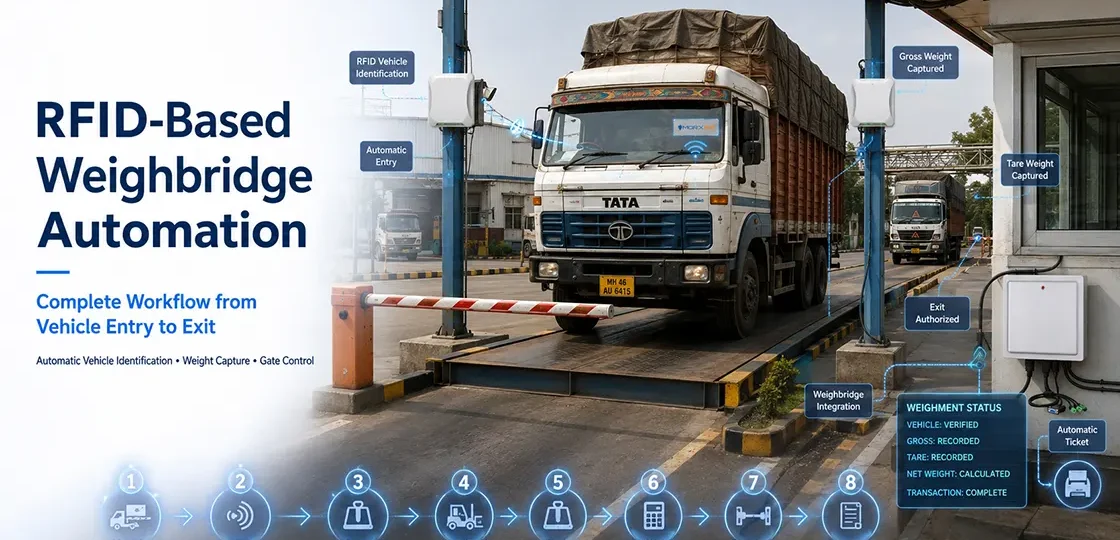
RFID-Based Weighbridge Automation: Complete Workflow from Vehicle Entry to Exit
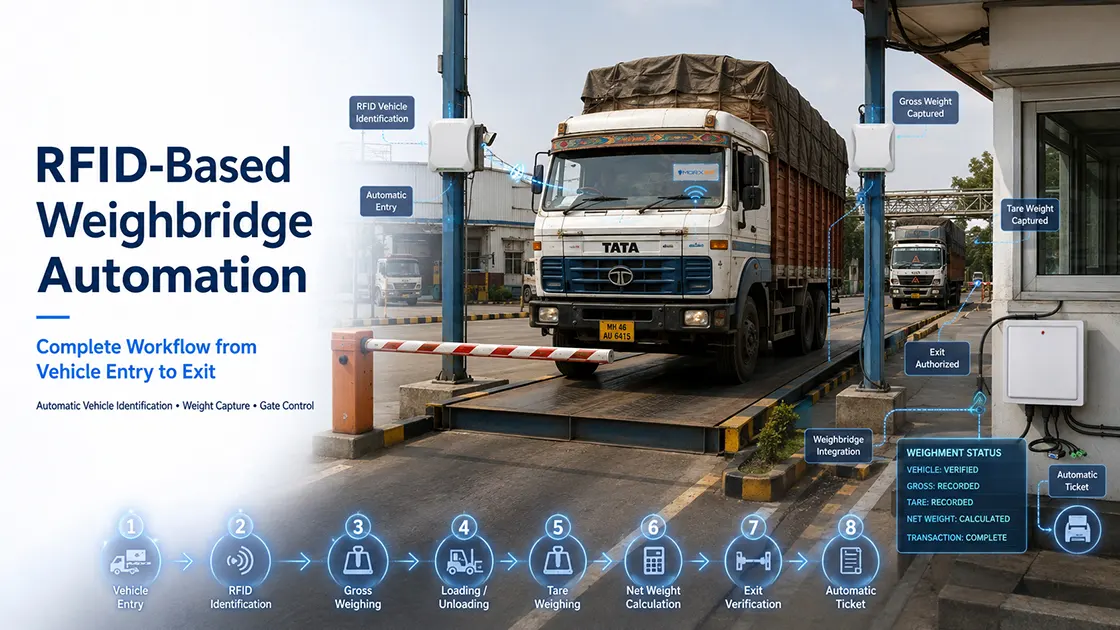
A manually operated weighbridge depends entirely on an operator being present, alert, and accurate — noting down vehicle numbers, matching them to the right transaction, and issuing a paper slip for every single weighment. On a busy site processing dozens of vehicles a day, this becomes the slowest and most error-prone part of the entire logistics chain. RFID-based weighbridge automation removes the manual matching step entirely — the vehicle identifies itself automatically at every stage, from the moment it enters the gate to the moment it leaves with a printed ticket.
What Is an RFID-Based Weighbridge System?
An RFID-based weighbridge system uses a tag mounted on each vehicle — read automatically by fixed readers at the entry gate, the weighbridge platform, and the exit gate — to identify the vehicle at every step without a manual number-plate entry or physical token exchange. The weighbridge software links each automatic read to the corresponding weight reading, building a complete, accurate transaction record without an operator manually pairing a vehicle to a weight slip.
The Complete Workflow: Entry to Exit
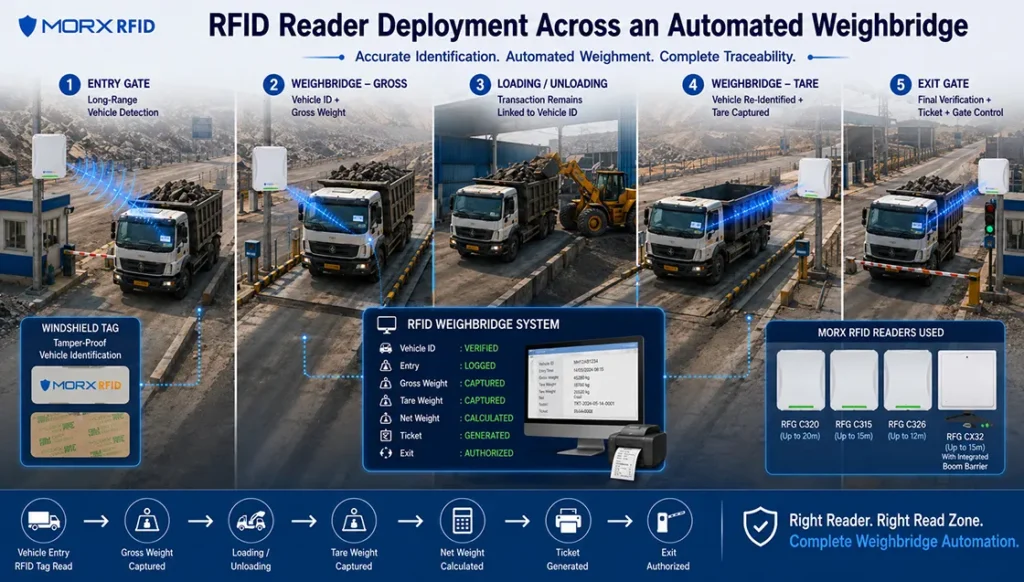
A typical RFID weighbridge deployment follows five stages, each with its own hardware requirement based on read range and function:
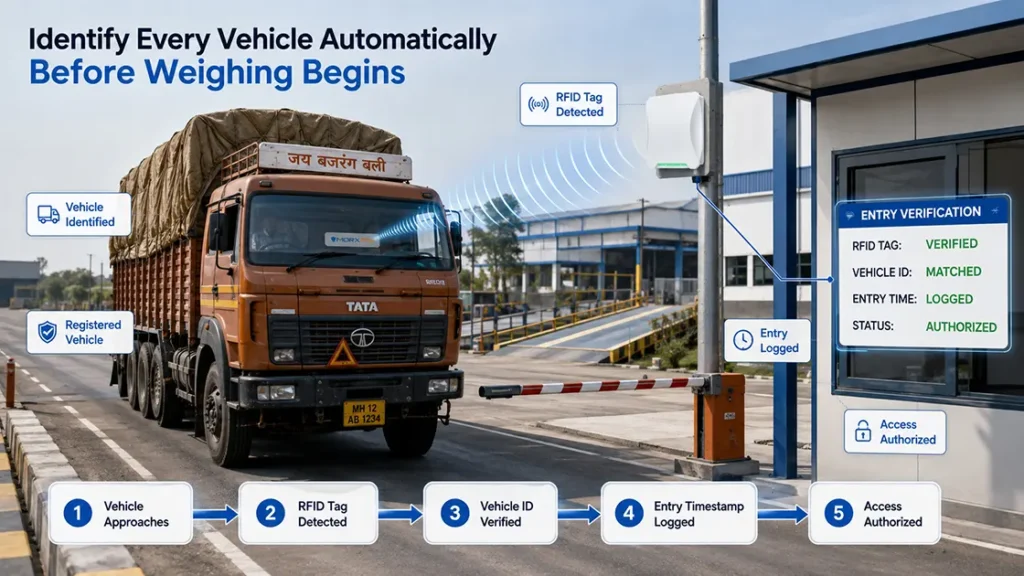
- Vehicle enters the gate: A long-range reader identifies the vehicle’s tag as it approaches, and the entry boom barrier opens automatically for a registered vehicle
- Gross weighing: The loaded vehicle drives onto the weighbridge platform, where a short-range reader confirms the vehicle’s identity and the software logs the gross weight against that specific vehicle ID
- Loading or unloading: The vehicle proceeds to the loading or unloading area — the transaction record already has the gross weight tied to the vehicle
- Tare weighing: On the return pass, the same short-range reader captures the tare (empty) weight, and the system automatically calculates net material weight
- Exit gate: A reader at the exit identifies the vehicle again, the system generates a final weighment ticket automatically, and the exit boom barrier opens
Here’s how that maps to hardware and data at each stage:
| Stage | What Happens | RFID Hardware | Data Captured |
|---|---|---|---|
| 1. Entry Gate | Vehicle approaches, tag read automatically, barrier opens | Windshield Tag + Long-Range Reader (CR20) | Vehicle ID, entry timestamp |
| 2. Gross Weighing | Loaded vehicle drives onto the weighbridge platform | Mid-Range Reader (CR06) | Gross weight, vehicle ID, timestamp |
| 3. Loading / Unloading | Material is loaded or unloaded at the designated area | — | Linked to vehicle ID for traceability |
| 4. Tare Weighing | Empty vehicle re-weighed on return pass | Mid-Range Reader (CR06) | Tare weight, net weight calculated |
| 5. Exit Gate | Vehicle identified again, ticket generated, barrier opens | Reader with Boom Barrier Relay (CR32) + Boom Barrier | Exit timestamp, final weighment ticket |
Step Zero — Tagging the Vehicle
Before any of this works, every vehicle using the weighbridge needs a registered RFID tag. For repeat vehicles — company fleet trucks, regular supplier vehicles, contracted transporters — a Windshield Tag is mounted once and stays with that vehicle. Tamper-evident construction matters here specifically because a weighbridge transaction has financial weight — a tag that can be moved between vehicles creates room for billing errors or deliberate misrepresentation of which vehicle actually carried which load.
Choosing Readers for Each Point in the Workflow
Requirements vary by state and change frequently — always confirm current rules with your state mining department before deployment. Here’s the general landscape as reported across major mineral-producing states:
Each stage of the weighbridge workflow has a different read-range and integration requirement, which is why a single reader model rarely covers the whole system:
| Reader | Read Range | Key Feature | Weighbridge Role | Interfaces |
|---|---|---|---|---|
| RFG CR20 | Up to 20m | Adjustable RF power, linear antenna | Entry gate approach detection | RS232, WG26/34, TCP/IP, RS485 |
| RFG CR15 | Up to 15m | Circular antenna, buzzer/LED confirmation | Approach lane with visible read confirmation | RS232, WG26/34, RJ45, RS485 |
| RFG CR06 | Up to 6m | Controlled short-range, <200 tag capacity | Weighbridge platform — gross and tare capture | RS232, WG26/34, TCP/IP, RS485 |
| RFG CR32 | Up to 15m | Inbuilt relay, direct boom barrier connection | Exit gate — reads tag and triggers barrier directly | RS232, WG26/34, Relay, Trigger |
| HR18 | Up to 15m | IP65, multi-protocol, EPC Gen2 | General-purpose gate or backup reading point | TCP/IP, RS232, Wiegand |
Entry Gate — Long-Range Detection
The entry point needs to identify a vehicle before it reaches the barrier, giving the system time to verify and open the gate without the vehicle stopping. The RFG CR20, reading up to 20 metres, or the RFG CR15 with its buzzer/LED read confirmation, both suit this role depending on the approach distance available at your gate.
Weighbridge Platform — Controlled Short-Range Reading
On the weighbridge itself, a wide read zone isn’t useful — the vehicle is already confined to a narrow platform, and you specifically want to avoid accidentally reading a tag from a vehicle waiting in the queue behind it. The RFG CR06, with its 6-metre controlled range, is built for exactly this kind of tightly bounded reading zone.
Exit Gate — Direct Boom Barrier Integration
The exit point needs to both identify the vehicle and physically trigger the barrier — ideally without routing that decision through a separate controller. The RFG CR32 is built specifically for this: it has an inbuilt relay with a direct connection to boom barrier hardware, so a successful tag read at the exit can open the barrier without additional integration hardware.
General-Purpose or Backup Reading Points
For sites that need one flexible reader — a secondary entrance, or a backup point covering both gate and weighbridge duties — the HR18 offers a 15-metre range with an IP65-rated build and broad interface support (TCP/IP, RS232, Wiegand), making it a practical general-purpose option.
All of these are part of Morx’s UHF Integrated Reader range, and pair with Entrance Automation hardware like boom barriers to complete the physical access control at each gate.
Where RFID Fits at the Mine Gate and Checkpost
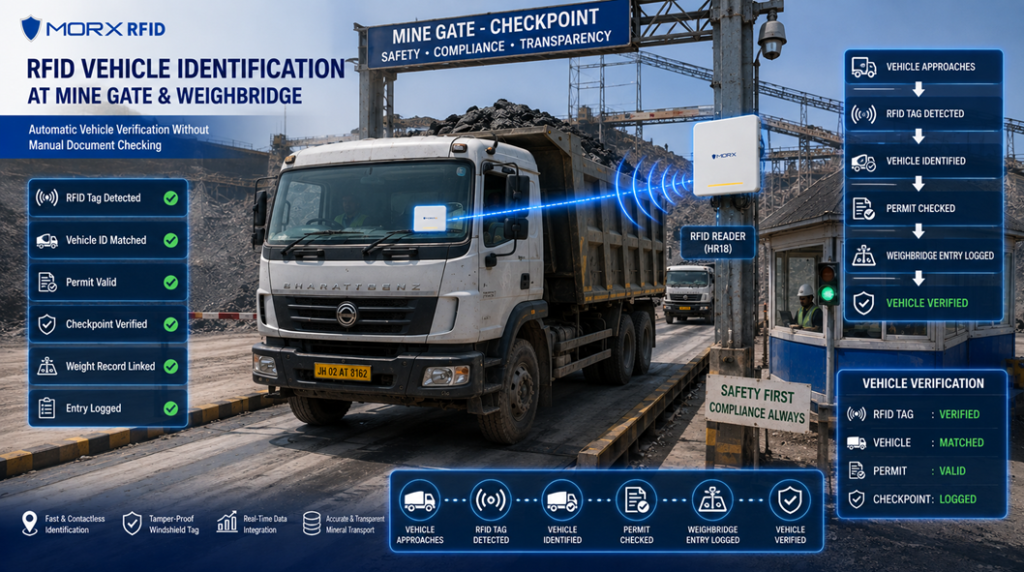
At a mine gate, weighbridge, or highway checkpost, the RFID layer typically works like this: a Windshield Tag — tamper-evident from all sides so it can’t be moved to an unauthorised vehicle — is mounted on each registered mineral transport vehicle. As the vehicle approaches the gate or weighbridge lane, a fixed RFID reader captures the tag automatically, without requiring the vehicle to stop for a manual document check, and logs the read against the vehicle’s registered permit in the state system.
This automated read matters for two reasons:
- Speed: High-volume mining checkposts process dozens of vehicles per hour; automated RFID reads remove the bottleneck of manual verification
- Tamper resistance: A transferable tag defeats the entire point of vehicle identification — tamper-proof construction ensures the tag can’t be moved to an unregistered vehicle
Choosing the Right RFID Reader for Mine Gates and Checkposts
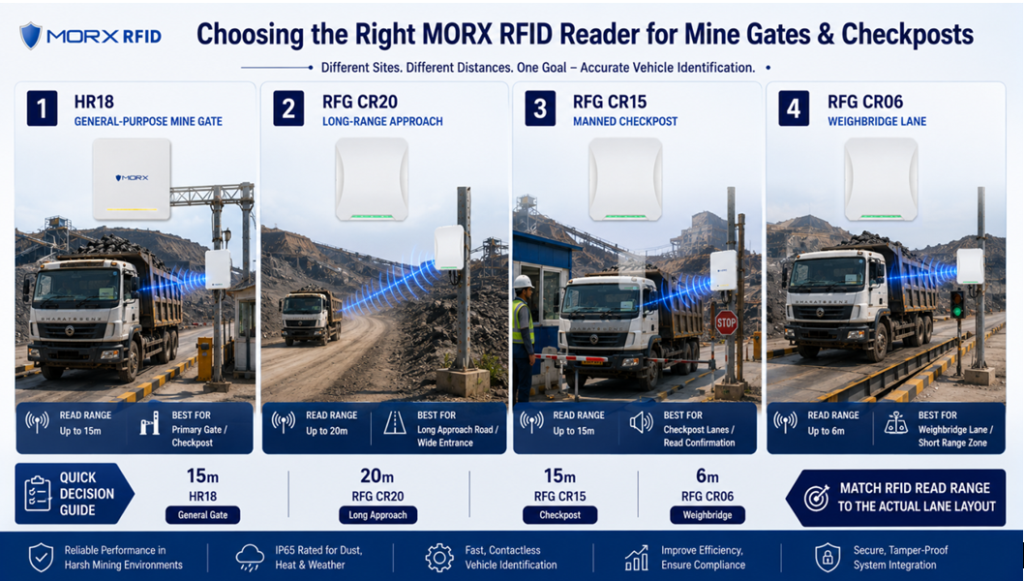
Reader selection depends on the physical layout of the checkpoint — lane width, approach distance, and how many lanes need coverage.
| Reader | Read Range | Antenna | Interfaces | Best For |
|---|---|---|---|---|
| HR18 | Up to 15m | Integrated, EPC Gen2 / ISO 18000-6C | TCP/IP, RS232, Wiegand | IP65-rated multi-purpose gate / checkpost reading |
| RFG CR20 | Up to 20m | 9dBi linear, built-in | RS232, WG26/34, TCP/IP, RS485 | Long approach roads, wide mine gate entrances |
| RFG CR15 | Up to 15m | 8dBi circular | RS232, WG26/34, RJ45, RS485 | Checkpost lanes needing buzzer/LED read confirmation |
| RFG CR06 | Up to 6m | 9dBi linear | RS232, WG26/34, TCP/IP, RS485 | Weighbridge lanes, controlled short-range checkpoints |
HR18 — General-Purpose Gate and Checkpost Reader
The HR18 reads up to 15 metres and supports TCP/IP, RS232, and Wiegand interfaces, with an IP65-rated build suited to outdoor mine gate installation. Its combination of vehicle identification and access control support makes it a practical default for a primary mine entrance.
RFG CR20 — Long-Range Approach Reading
The RFG CR20 extends read range to 20 metres with a built-in 9dBi linear antenna and adjustable RF power — useful where mine gates have a longer straight approach and vehicles need to be identified before they reach the barrier itself.
RFG CR15 — Checkpost Lane with Read Confirmation
The RFG CR15 covers 15 metres with an 8dBi circular antenna and includes a buzzer or LED recognition prompt — giving checkpost staff immediate confirmation that a tag was read successfully, which matters for manned checkposts running alongside the automated system.
RFG CR06 — Weighbridge and Controlled-Lane Reading
The RFG CR06 is built for shorter, controlled ranges — 6 metres — which suits weighbridge lanes where the vehicle is already moving slowly through a narrow, defined path and a wide read zone isn’t necessary.
All four are part of Morx’s UHF Integrated Reader range, supporting Wiegand and relay-based interfaces that integrate with existing checkpost barrier and boom gate hardware.
What Weighbridge Automation Actually Fixes
- Removes manual vehicle-to-weight matching: The system links weight readings to vehicle identity automatically, eliminating transcription errors
- Reduces truck turnaround time: Automated identification at each gate removes the delay of manual number-plate logging or token exchange
- Creates a tamper-resistant audit trail: Every weighment is tied to a specific, hard-to-transfer vehicle tag, reducing disputes over which vehicle carried which load
- Enables unattended operation: With reliable automated identification, weighbridges can run with minimal or no operator presence during off-hours
- Feeds clean data into ERP and billing systems: Automated, timestamped records integrate directly with downstream systems without manual re-entry
Frequently Asked Questions
Can an RFID weighbridge system run fully unattended?
Yes, this is one of the main goals of automation — with reliable tag reads at entry, the weighbridge, and exit, and boom barriers directly triggered by successful reads, the system can operate with minimal operator involvement, particularly for repeat vehicles with registered tags.
What happens if a vehicle doesn't have a registered RFID tag?
Most deployments keep a manual fallback lane or process for untagged or one-time visitor vehicles, since not every vehicle using a facility will be a repeat visitor with a pre-registered tag. The automated flow is built for regular fleet and supplier vehicles where tagging pays off over repeated visits.
Why use different readers for the gate versus the weighbridge platform?
Read range needs to match the physical layout. A long-range reader at the gate identifies an approaching vehicle before it reaches the barrier, while a short-range reader on the weighbridge avoids picking up tags from adjacent queued vehicles, which would corrupt the weight-to-vehicle match.
Does the RFID system replace the weighbridge's existing weight sensor?
No — RFID handles vehicle identification, not weight measurement. It integrates with the weighbridge’s existing load cell and weight indicator, tagging each weight reading with the correct vehicle ID rather than replacing the weighing hardware itself.
Conclusion
An RFID-based weighbridge doesn’t change how the vehicle is weighed — it changes how reliably that weight gets tied to the right vehicle, at every stage from entry to exit, without manual matching. Getting the reader selection right for each stage — long-range at the gate, controlled short-range at the platform, relay-integrated at the exit — is what makes the automation actually hold up under daily traffic volume.
Explore Morx RFID’s Windshield Tags and full UHF Integrated Reader range — including the CR20, CR15, CR06, CR32, and HR18 — or browse Entrance Automation hardware to complete the gate control side of your weighbridge deployment. Contact the Morx RFID team for a site-specific hardware recommendation.
CategoryBlog